
Microsoft Help Center
Explore helpful Microsoft Windows tips, computer troubleshooting guides, and step-by-step instructions for common PC issues. Learn how to speed up a slow computer, adjust screen resolution, improve Windows 11 performance, manage updates, fix software problems, strengthen computer security, and more—often without needing a technician.
Articles
Windows 11 Black Screen? Causes & Fixes
You turn on your computer and expect to see the Windows desktop—but instead, you're staring at a black screen. Maybe you can still see your mouse pointer. Maybe Windows appears to start and then the screen goes black. Or perhaps the computer seems to be running, but there's no picture…
Why Does My Computer Keep Freezing? Common Causes & Fixes
You're working normally when suddenly your computer stops responding. The mouse won't move. Programs won't close. The keyboard does nothing. Sometimes the computer comes back after a few seconds. Other times, you're forced to hold down the power button just to get it working again. If your computer keeps freezing, don't…

Laptop Won’t Connect to Wi-Fi? Try These Fixes
Your laptop was online yesterday, but today it refuses to connect. Maybe your Wi-Fi network has disappeared. Maybe Windows says “No Internet” even though you're connected. Or perhaps every other device in the house works perfectly while your laptop won't get online. A laptop that won't connect to Wi-Fi doesn't necessarily…
PC Turns On but No Display? Here’s What It Could Mean
You press the power button and the computer seems to start normally. The fans spin. Lights come on. Maybe you can even hear Windows starting. But the monitor stays completely black. A PC that turns on but has no display can be frustrating because the computer clearly has power—you just can't see…
Windows Update Stuck or Failing? Here’s What to Do
Windows Update is supposed to keep your computer secure, stable, and up to date. But sometimes an update seems to sit at 0%, 99%, or “Installing” forever. Other times, Windows downloads the update only to fail, roll it back, or display an error message. If your Windows 11 update is…
Computer Keeps Crashing? Common Causes & Fixes
One minute you're working normally. The next, your computer freezes, restarts, shows a blue screen, or shuts down completely. If this happens once, it could be a temporary glitch. But if your computer keeps crashing, don't ignore it. Repeated crashes are usually a sign that something isn't working correctly. The cause…
Blue Screen of Death (BSOD): What It Means & How to Fix It
You're working on your computer when suddenly everything stops and Windows displays a blue screen saying something like: “Your device ran into a problem and needs to restart.” That's commonly known as the Blue Screen of Death, or BSOD. It looks alarming, but one blue screen doesn't necessarily mean your computer is…
Windows 11 Won’t Boot? Causes, Fixes & What to Try
You press the power button, your computer comes to life—but Windows 11 never loads. Maybe you're stuck on the Windows logo. Maybe you see a spinning circle forever. Perhaps the computer keeps restarting, shows a black screen, or sends you straight into Automatic Repair. The good news is that a Windows…
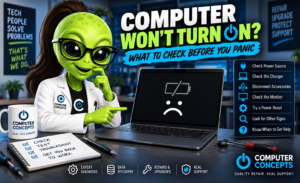
Computer Won’t Turn On? What to Check Before You Panic
You press the power button and… nothing. No screen. No Windows logo. Maybe no lights or fans at all. Before assuming your computer is dead—or that you’ve lost everything—there are several things worth checking. A computer that won’t turn on can be caused by something as simple as a loose power…

Windows 11 Running Slow? 10 Ways to Speed Up Your PC
Is your Windows 11 computer taking forever to start, freezing when you open programs, or just not feeling as fast as it used to? A slow PC doesn't necessarily mean you need a new computer. Windows can gradually become sluggish because of startup programs, limited storage, background processes, outdated software,…