
Repair or Recycle Help Center
The Computer Concepts Repair or Recycle Help Center helps you decide whether to repair, reuse, upgrade, donate, or responsibly recycle your old technology. Explore helpful information about computers, laptops, smartphones, tablets, gaming systems, monitors, printers, batteries, accessories, and other electronic devices. Learn how proper electronics disposal and e-waste recycling can protect your personal data, reduce environmental waste, and keep harmful materials out of landfills. Before throwing your device away, discover whether repair or an upgrade could give it a second life.

Articles
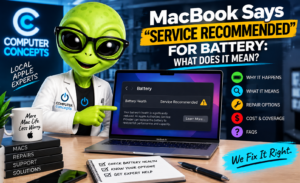
MacBook Says “Service Recommended” for Battery: What Does It Mean?
You click the battery settings on your MacBook and suddenly see two words you weren't expecting: Service Recommended. Does that mean your battery is about to fail? Is it dangerous to keep using your MacBook? Do you need a new computer? Usually, there's no reason to panic. A “Service Recommended” battery message means…

MacBook Storage Full? What’s Taking Up Space & How to Fix It
You try to download a file, install a macOS update, or save a few photos—and suddenly your MacBook tells you: Your disk is almost full. Or maybe you've checked your storage and discovered something even more confusing: “System Data” is taking up a huge amount of space. Where did all your storage go?…

Nintendo Switch Joy-Con Drift Explained
You're playing your Nintendo Switch when suddenly your character starts walking across the screen. The problem? You're not touching the joystick. If your character moves on its own, your menu selection keeps scrolling, or your aim seems to have a mind of its own, you're probably dealing with Nintendo Switch…
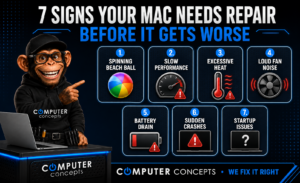
7 Signs Your Mac Needs Repair — Before It Gets Worse
Most Mac problems do not happen overnight. They usually begin with small warning signs—a slower startup, shorter battery life, unusual heat, frequent freezing, or a fan that suddenly sounds louder. Catching these problems early may help prevent a more expensive Mac repair, unexpected downtime, or permanent data loss. Here are…

Best Graphics Cards for 2026
Updated August 2026 Choosing the best graphics card in 2026 is not as simple as buying the fastest GPU you can afford. The right graphics card depends on your monitor resolution, favorite games, power supply, computer case, processor, and whether you also stream or create content. Slate the Gamer has…

Why Your Gaming PC Keeps Crashing
Nothing ruins a gaming session faster than a frozen screen, sudden restart, blue screen, or game that closes without warning. One crash may be a temporary glitch. Repeated gaming PC crashes usually mean something needs attention. Slate the Gamer’s opinion is simple: “A gaming PC that keeps crashing isn’t being…

How to Check Your iPhone Battery Health
Is your iPhone battery draining faster, charging more often, or shutting down unexpectedly? Before assuming you need a new phone, check your iPhone’s built-in Battery Health information. App, Computer Concepts’ tech helper, has a simple rule: “Don’t replace the whole iPhone just because the battery is getting tired. Check its…