
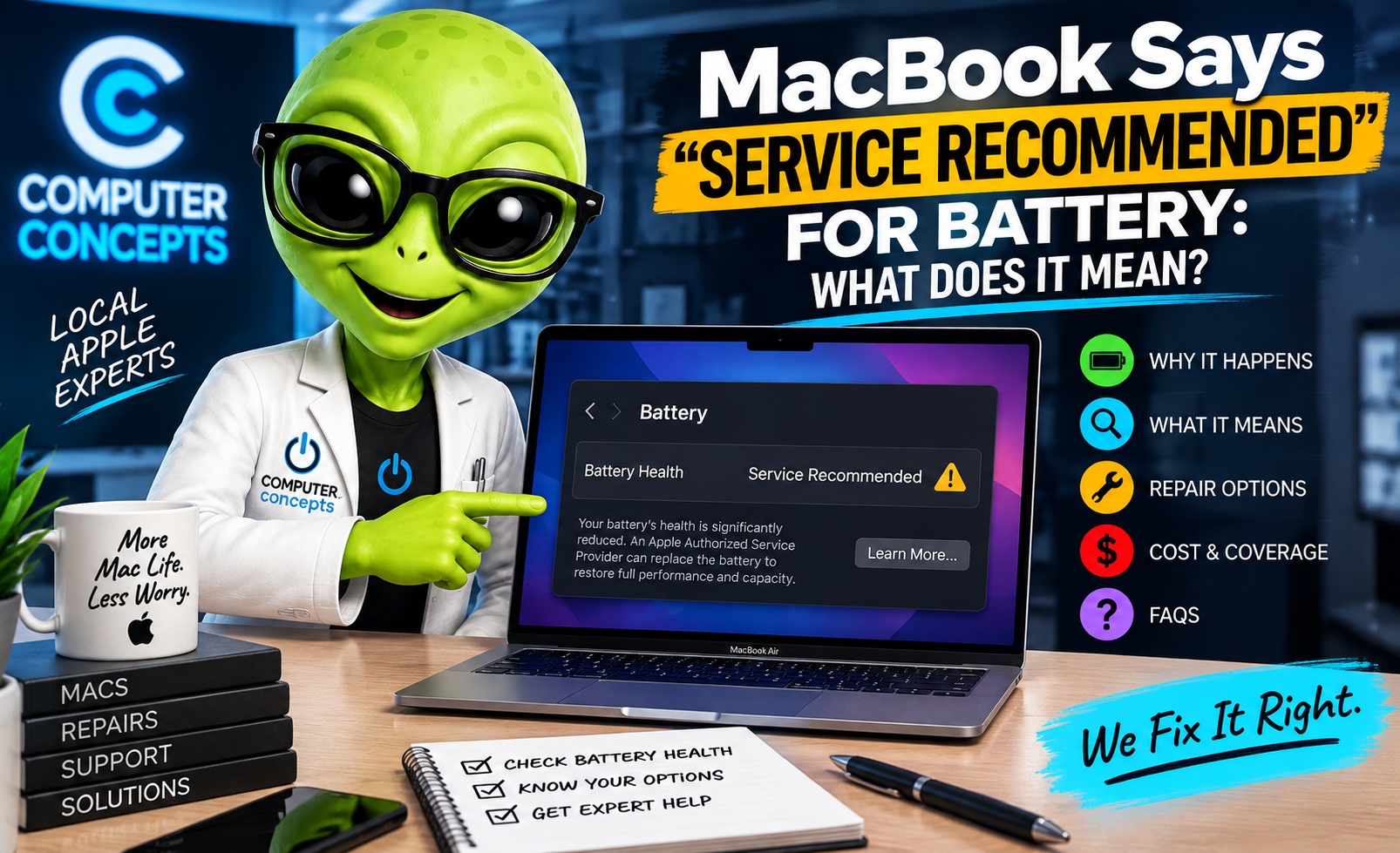
You click the battery settings on your MacBook and suddenly see two words you weren't expecting: Service Recommended.
Does that mean your battery is about to fail? Is it dangerous to keep using your MacBook? Do you need a new computer? Usually, there's no reason to panic. A “Service Recommended” battery message means macOS has determined that your MacBook's battery isn't performing as well as expected and may benefit from service. In many cases, the MacBook itself is perfectly fine—the battery has simply aged.
Here's what the warning means, what you should check, and how to decide whether it's time to replace your MacBook battery.
What Does “Service Recommended” Mean on a MacBook?
MacBook batteries are rechargeable lithium-ion batteries, and like all rechargeable batteries, they wear down over time. As the battery chemically ages, it gradually loses some of its ability to hold a charge. When macOS determines that the battery's ability to hold a charge has declined or the battery isn't functioning normally, you may see: Service Recommended
Your MacBook may continue to work normally, but you could notice reduced battery life or other battery-related symptoms. The message is essentially telling you: Your battery should be evaluated. It does not automatically mean your entire MacBook needs to be replaced.
Why Does My MacBook Say “Service Recommended”?
There are several possible reasons.
1. The Battery Has Naturally Aged
This is probably the most common reason. MacBook batteries are consumable components. Every charge and discharge contributes to the battery's long-term chemical aging. After years of use, a battery simply can't hold the same amount of energy it did when it was new. You might notice that a MacBook that once lasted most of the day now needs to be plugged in much more frequently.
That's normal battery aging.
2. Your Battery's Maximum Capacity Has Dropped
Your Mac can report its battery's maximum capacity. This compares the battery's current ability to hold a charge with approximately what it could hold when it was new. As the battery ages, that percentage generally decreases.
For example, an older battery may charge to “100%” according to the battery indicator while still holding considerably less total energy than it did when it was new. Think of it like a gas tank that has gradually become smaller. The gauge can still say full—but “full” doesn't take you as far as it once did.
3. Your Battery Has Accumulated Charge Cycles
MacBook batteries also keep track of their cycle count. A charge cycle occurs when you've used an amount equal to 100% of the battery's capacity. That doesn't necessarily happen in one sitting.
For example, you could use approximately half of the battery one day, recharge it, and use another equivalent amount later. Together, that usage contributes toward a complete charge cycle. Cycle count is useful when evaluating a battery, but it isn't the only factor that determines battery health.
4. macOS Has Detected Abnormal Battery Behavior
“Service Recommended” isn't always simply about age. The system may detect that the battery isn't behaving as expected. You might experience:
- Battery percentage dropping quickly
- MacBook shutting down unexpectedly
- Battery not charging normally
- Mac only working reliably while plugged in
- Battery percentage jumping unexpectedly
- Significantly reduced runtime
If you're experiencing symptoms like these along with the warning, having the battery professionally evaluated makes sense.
How Do I Check My MacBook Battery Health?
On current versions of macOS, start by opening: Apple menu > System Settings > Battery
Look for Battery Health. Depending on your Mac model and macOS version, you'll be able to see information about the battery's condition and maximum capacity.
If it shows Service Recommended, macOS has determined that battery service should be considered.
How Do I Check My MacBook Battery Cycle Count?
You can find more detailed battery information through System Information. One common method is:
- Hold the Option key.
- Click the Apple menu.
- Choose System Information.
- Select Power.
Look under the battery information for Cycle Count and other battery details. Menu names and locations can vary somewhat depending on your version of macOS.
Does “Service Recommended” Mean My Battery Is Dangerous?
Not necessarily. A battery that has simply lost capacity isn't the same thing as a physically damaged battery. However, there is one condition you should take very seriously:
Battery Swelling
A swollen lithium-ion battery needs prompt attention. Warning signs can include:
- Trackpad becoming difficult to click
- Trackpad appearing raised
- Bottom case bulging
- MacBook no longer sitting flat
- Gaps appearing in the enclosure
- Keyboard or case beginning to deform
If you see physical swelling or deformation, stop using the MacBook and have it professionally inspected. Don't press the case back together. Don't puncture the battery. Don't attempt to flatten it. And don't continue charging a visibly damaged or swollen battery just because the Mac still works.
Can I Keep Using My MacBook With “Service Recommended”?
In many cases, a MacBook with an aging battery can continue operating. The bigger question is whether the battery still meets your needs. If your MacBook works well but only gives you a couple of hours of useful battery life, you may decide that battery replacement is worthwhile.
However, if you're experiencing unexpected shutdowns, charging problems, excessive heat, physical swelling, or other unusual symptoms, you should have it evaluated sooner.
Will “Service Recommended” Go Away?
Restarting the Mac or updating macOS isn't going to restore the physical capacity lost through normal battery aging. Software troubleshooting may help when unusual battery drain is being caused by an application or background process, but it cannot reverse the chemical aging of the battery itself.
If diagnostics determine that the battery is worn, replacing the battery is the actual solution.
Does “Service Recommended” Mean I Need a New MacBook?
Absolutely not. This is an important distinction. Batteries wear out. MacBooks don't automatically wear out with them. If your MacBook:
- Still performs well
- Runs the applications you need
- Is in good physical condition
- Still receives the software support you require
- Has no other major problems
...a battery replacement may make much more sense than buying an entirely new computer. A worn battery can often be treated as exactly what it is: A worn component that needs service.
When Should I Replace My MacBook Battery?
Consider battery replacement when the battery no longer performs well enough for your needs or diagnostics indicate that service is appropriate. Common reasons include:
- macOS displays Service Recommended
- Battery life has become very short
- MacBook shuts down unexpectedly
- Battery won't charge normally
- Mac only works reliably while connected to power
- Battery percentage behaves unpredictably
- Battery has significant age or wear
- Professional diagnostics confirm battery failure
- Battery is physically swollen
There's no need to wait until the Mac becomes completely unusable.
Will a New Battery Make My MacBook Faster?
Usually, battery replacement is intended to correct battery-related problems, not general performance problems. If your MacBook is slow because of:
- Low available storage
- Too many background applications
- Software problems
- Memory pressure
- Overheating
- Another hardware issue
...replacing the battery won't magically fix those problems. That's another reason proper diagnostics matter. Fix the problem you actually have.
How Much Does MacBook Battery Replacement Cost?
There isn't one universal MacBook battery replacement price. Cost depends on factors such as:
- MacBook model
- MacBook Air vs. MacBook Pro
- Screen size
- Year
- Warranty status
- AppleCare+ coverage
- Battery condition
- Other damage
The best way to get an accurate price is to identify the exact MacBook model and check its coverage. Be cautious of generic internet prices that don't take your specific Mac into account.
Does AppleCare+ Cover MacBook Battery Service?
Battery service eligibility under AppleCare+ depends on the condition of the battery and the terms of your coverage. An Apple Authorized Service Provider can verify your coverage and evaluate the battery to determine the appropriate service options. Don't assume you're out of luck—or that you're automatically covered—until your specific Mac and coverage have been checked.
Why Use an Apple Authorized Service Provider for Battery Service?
A MacBook battery isn't just something sitting behind a little access panel. Depending on the model, battery service can require significant disassembly and specialized repair procedures.
Computer Concepts is an Apple Authorized Service Provider. Our Apple-trained technicians can diagnose eligible Mac battery problems and perform authorized repairs using genuine Apple parts and Apple's repair procedures. That means we're not simply looking at the warning and automatically selling you a battery.
The first question should be: What's actually wrong?
Don't Forget Your Backup
Before any computer service, having a current backup is a smart move. Apple's Time Machine makes regular Mac backups relatively straightforward. Protect your:
- Photos
- Business files
- Schoolwork
- Financial documents
- Music
- Videos
- Creative projects
- Personal records
We say this often because it's important: Computers can be replaced. Your data is unique.
Repair the Battery or Replace the MacBook?
Before buying a new Mac, consider the entire computer. Ask yourself:
- How old is it?
- Does it still perform well?
- Does it run the software I need?
- Is the battery the only major problem?
- What will the battery service cost?
- What would a comparable replacement Mac cost?
If the battery is the only thing holding back an otherwise good MacBook, replacing the battery can be a sensible way to extend the computer's useful life. Repair more. Waste less.
MacBook Says “Service Recommended”? Computer Concepts Can Help
If you're seeing Service Recommended on your MacBook battery, you don't have to guess what it means.
Computer Concepts is an Apple Authorized Service Provider serving Hampton Roads from our Yorktown and Williamsburg, Virginia locations.
Our Apple-trained technicians can evaluate your MacBook's battery, check its condition and coverage, diagnose charging or battery problems, and perform eligible repairs using genuine Apple parts.
AppleCare+? We can help. Out of warranty? We can help with that too. Make an appointment through Apple or walk in to Computer Concepts.
Computer Concepts — Local Apple Experts.
Quality repair. Real support. We fix it right. Visit mycomputerconcepts.com.
Frequently Asked Questions
What does Service Recommended mean on a MacBook battery?
It means macOS has determined that the battery's ability to hold a charge has declined or that the battery isn't functioning as expected. The battery may benefit from professional evaluation or service.
Do I have to replace my battery immediately if it says Service Recommended?
Not necessarily. An aging battery may continue functioning, although with reduced runtime. Unexpected shutdowns, charging problems, excessive heat, or physical swelling are stronger reasons to seek service promptly.
Is 80% battery health bad on a MacBook?
Maximum capacity is only one part of evaluating battery condition. Battery age, cycle count, symptoms, diagnostic results, and real-world runtime should also be considered when deciding whether service is appropriate.
Can I reset MacBook battery health?
You cannot reset away normal chemical aging. Software troubleshooting can address abnormal power consumption, but it cannot restore capacity that a battery has physically lost over time.
How long does a MacBook battery last?
Battery lifespan varies according to model, age, usage, charging patterns, temperature, and other factors. Battery condition and cycle count provide more useful information than age alone.
Can Computer Concepts replace my MacBook battery?
Computer Concepts is an Apple Authorized Service Provider, and our Apple-trained technicians can diagnose eligible MacBook battery issues and perform authorized repairs using genuine Apple parts.